
Deleted Photos Recovery: Losing precious photos from your smartphone can be frustrating, especially when those images contain valuable memories, important documents, or work-related content. Fortunately, if you’re wondering How to Recover Deleted Photos from Your Phone in 2026, there are several effective methods available that can help you restore your deleted images quickly.
Deleted Photos Recovery 2026
Deleted Photos Recovery Before learning How to Recover Deleted Photos from Your Phone in 2026, it’s important to understand the common reasons behind photo loss.
Common Causes of Photo Deletion
- Accidental deletion
- Factory reset
- Software updates gone wrong
- Corrupted storage
- Virus or malware attacks
- Device damage
- Syncing errors with cloud services
- Storage cleanup apps
Method 1: Check the Recently Deleted Folder
Deleted Photos Recovery The first and easiest step when searching for How to Recover Deleted Photos from Your Phone in 2026 is checking your device’s Recently Deleted folder.
Android
- Open Google Photos.
- Tap Library.
- Select Trash or Bin.
- Locate your deleted photos.
- Tap Restore.
Google Photos usually keeps deleted photos for up to 60 days.
On iPhone
- Open Photos App.
- Go to Albums.
- Scroll down to Recently Deleted.
- Select the photos.
- Tap Recover.
Apple stores deleted photos for approximately 30 days before permanent removal.
Method 2: Recover Photos from Google Photos Backup
Deleted Photos Recovery One of the best solutions for How to Recover Deleted Photos from Your Phone in 2026 is using cloud backups.
Benefits of Google Photos Backup
- Automatic photo synchronization
- Secure cloud storage
- Access from any device
- Easy photo restoration
Steps to Recover
- Visit Google Photos.
- Sign in using your Google account.
- Search for the missing images.
- Download or restore them to your device.
Many users discover their photos were safely backed up even after deletion from the phone.
Method 3: Restore Photos Using iCloud Backup
Deleted Photos Recovery For iPhone users, iCloud remains one of the most reliable photo recovery solutions.
- How to Recover Photos from iCloud
- Open Settings.
- Tap your Apple ID.
- Select iCloud.
- Open Photos.
- Check if iCloud Photos is enabled
Method 4: Use Professional Photo Recovery Software
- Disk Drill
- Deep scan technology
- Android and iPhone support
- Fast recovery process
- User-friendly interface
- EaseUS Data Recovery
- Advanced photo restoration
- SD card recovery
- Internal storage recovery
- High success rate
- Wondershare Recoverit
- AI-powered recovery
- Multiple file format support
- Preview before recovery
- Secure scanning
Method 5: Recover Photos from SD Card
SD Card Recovery Process
- Remove the SD card.
- Connect it to a computer.
- Install recovery software.
- Scan the card.
- Recover found images
Google Pay Loan Apply Online 2026: Get Instant Personal Loan in Just 10 Minutes
Method 6: Use File Manager Recovery Features
Steps
- Open File Manager.
- Navigate to Deleted Files.
- Check Recycle Bin.
- Restore available photos
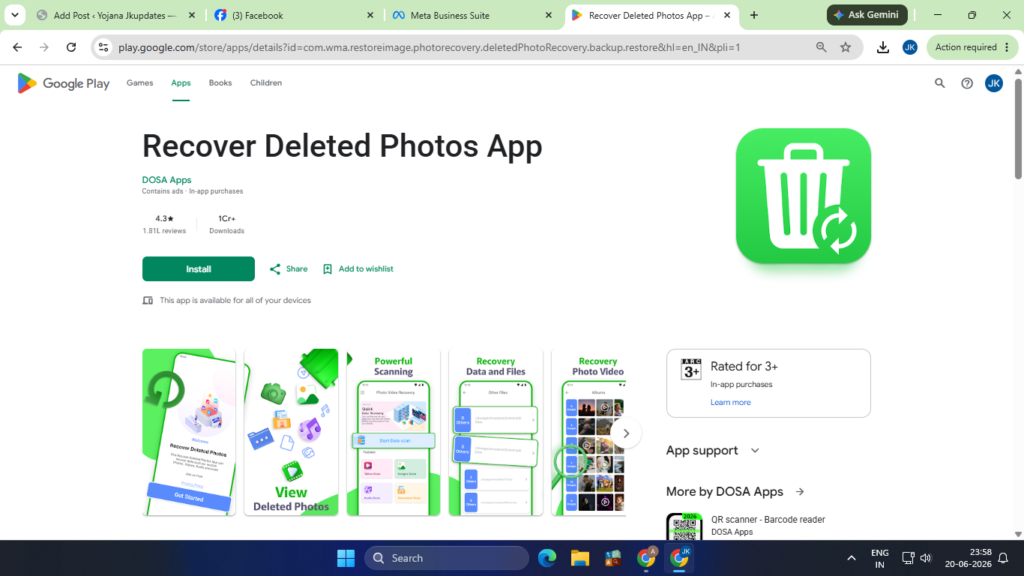
Recover Deleted Photos : App
Deleted Photos Recovery Photo Recovery Apps in 2026
If you’re searching for How to Recover Deleted Photos from Your Phone in 2026, these apps are among the most popular options.
DiskDigger
- Fast scanning
- Root and non-root support
- Free recovery options
Dumpster
- Functions like a recycle bin
- Automatic backup
- Easy restoration
Photo Recovery App
- Quick recovery
- Simple dashboard
- Supports various image formats
Deleted Photos Recovery Frequently Asked Questions (FAQs)
Can permanently deleted photos be recovered?
- Yes. In many cases, deleted photos remain on storage until overwritten by new data.
What is the best photo recovery app in 2026?
- Deleted Photos Recovery DiskDigger, EaseUS Data Recovery, Recoverit, and Dumpster are among the most trusted options.
Can I recover photos without a backup?
- Yes. Recovery software can often retrieve images directly from device storage.
Is photo recovery free?
- Some apps offer free recovery, while advanced features may require a premium subscription.
How long do deleted photos stay in Recently Deleted folders?
- iPhone: Around 30 days
- Google Photos: Up to 60 days
Best Useful Android Apps by Google
Google Pay Loan Apply Online 2026: Click Here
Google Maps App Download: Click Here
Read Along by Google 2026: Click Here
Pradhan Mantri Jan Dhan Yojana 2026: Click Here
PM Mudra Loan Scheme 2026: Click Here